
Experience Simply Azzier – The Free CMMS Built for Maintenance Teams
Get hands-on with Simply Azzier, the powerful lite version of Azzier CMMS—completely free. Streamline your maintenance operations with intuitive work order management and asset tracking without the hassle of upfront costs or commitments.
Upgrade only when you need more. No credit card required
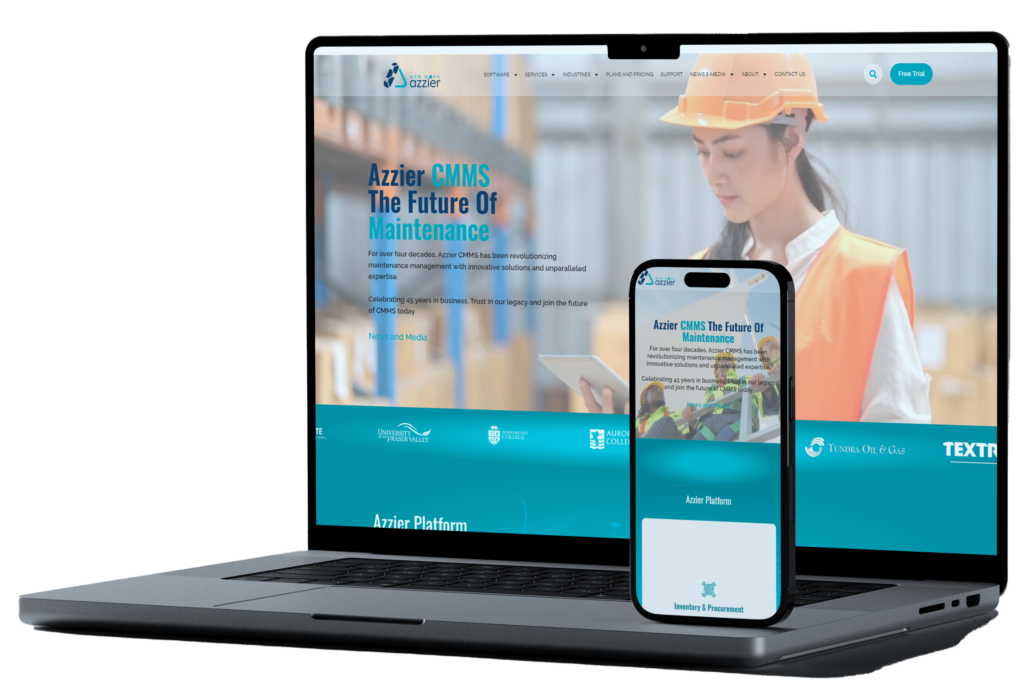
[elementor-template id=”4587″]

100% Free to Use
100% Free to Use – No credit card, no hidden fees, just seamless maintenance management.

Cloud-Based & Accessible Anywhere
Cloud-Based & Accessible Anywhere – Stay connected from any device, anytime.

Easy to Set Up & Use
Easy to Set Up & Use – Get started in minutes, no complex installations required.

Essential CMMS Features
Essential CMMS Features – Manage work orders, track assets, and keep maintenance organized with ease.
|
|
Simply |
Foundation |
Advanced |
Enterprise |
Modules |
Feature Set |
|
1 |
N |
Y |
Y |
Y |
Work Requests |
Work Order Management |
|
2 |
Y |
Y |
Y |
Y |
Work Orders |
Work Order Management |
|
3 |
Y |
Y |
Y |
Y |
Procedure |
Work Order Management |
|
4 |
Y |
Y |
Y |
Y |
Preventive Maintenance |
Work Order Management |
|
5 |
50 Max |
100 Max |
Y |
Y |
Equipment |
Asset Management |
|
6 |
2 Max |
10 Max |
Y |
Y |
Locations |
Asset Management |
|
7 |
Y |
Y |
Y |
Y |
Labor |
Asset Management |
|
8 |
|
500 Max |
Y |
Y |
Inventory/Storeroom |
Inventory Management |
|
9 |
|
Y |
Y |
Y |
Vendor |
Inventory Management |
|
10 |
|
Y |
Y |
Y |
Report Builder |
Reporting and Analytics |
|
11 |
Y |
Y |
Y |
Y |
Administration |
Azzier Design Tools |
|
12 |
|
Y |
Y |
Y |
Screen Designer |
Azzier Design Tools |
|
13 |
Y |
Y |
Y |
Y |
User Settings |
Azzier Design Tools |
|
14 |
|
|
Y |
Y |
KPI |
Dashboard Analytics |
|
15 |
|
|
Y |
Y |
Purchasing |
Advanced Procurement |
|
16 |
|
|
Y |
Y |
Receiving |
Advanced Procurement |
|
17 |
|
|
Y |
Y |
Requisition |
Advanced Procurement |
|
18 |
|
|
Y |
Y |
Predictive Maintenance |
Reliability Center |
|
19 |
|
|
Y |
Y |
Routes |
Reliability Center |
|
20 |
|
|
Y |
Y |
Email Notification |
Reliability Center |
|
21 |
|
|
|
Y |
Customer |
Customer Management |
|
22 |
|
|
|
Y |
Project Management |
Project Management |
|
23 |
|
|
|
Y |
Scheduling |
Scheduling |
|
24 |
|
|
|
Y |
Interface |
Integration API Tools |
|
25 |
|
|
|
Y |
|
Microsoft Power BI Connector |
|
26 |
|
|
|
Y |
Query Builder |
Query/View Design Tool |
|
27 |
|
|
|
Y |
Print Form Designer |
Print Form Designer |
|
28 |
|
|
|
Y |
Document Managment |
Document Managment |
|
19 |
|
|
|
Y |
Timecards |
Time Management |
|
30 |
|
Y |
Y |
Y |
Ops App |
Azz Apps |
|
31 |
|
|
|
Y |
Mobile App |
Azz Apps |
|
32 |
3 Max |
5 Max |
25 Max |
Unlimited |
|
User Count |
|
33 |
|
|
Y |
Y |
|
Second Sandbox Site |
|
|
|
Y |
Y |
Y |
|
Live-Chat Support |
|
|
|
|
Y |
Y |
|
Azzier Support Center |
|
|
|
|
|
|
|
|
| SIMPLY | FOUNDATION | ADVANCED | ENTERPRISE | |
|---|---|---|---|---|
| Max 3 Users | Max 5 Users | Max 25 Users | Unlimited | |
| Work Order Management Work Orders, Dispatching, Procedures, Preventive Maintenance, Drawings and Links, Parts Lists | ||||
| Work Requests Work Orders, Dispatching, Procedures, Preventive Maintenance, Drawings and Links, Parts Lists | ||||
| Asset Management Equipment, Locations, Hierarchies, Equipment History, Meters, Measurements | ||||
| Inventory Management Spare Parts Control, Storeroom Management, Reserve Items, Physical Counts, Vendor Management | ||||
| Reporting and Analytics Azzier Report Writer, create graphs, intelligent charts, pinpoint problem areas and identify fixes | ||||
| Administration and User Setting. Personal User Settings, Auto-populate Data, Configure Menus, User Themes | ||||
| Screen Designer Add/Edit/Delete Fields and Tables with Screen Designer, | ||||
| Ops Phone App This Phone App for iOS and Android, connects everyone to maintenance with messaging, pictures and video sharing. Create Work Requests from message content and get the “intel” you need. | ||||
| Reliability Center Predictive Maintenance, Condition Monitoring, Route Management | ||||
| Dashboard Analytics Design and create unlimited KPI dashboards | ||||
| Advanced Procurement Requisitioning, Purchasing, Invoice Matching, Auto-Parts Reordering, Receiving | ||||
| Email Notification Create workflow reminders and automated alerts. | ||||
| Customer Management Manage your Enterprise with a Customer centric approach to Maintenance. | ||||
| Integration API Tools This is a “no Code” web-based integration tool that seamlessly exposes the entire application database. Automated Interfaces, Load Spreadsheets, Connect External Systems like ERPs | ||||
| Microsoft Power BI Connect Connect your Azzier site to Microsoft Power BI and unleash the power of reporting and analytics. Get pre-built data sets and springboard straight to great looking charts and graphs. Pinpoint peak and valleys in the data that identify troubled areas. | ||||
| Scheduling Resources Azzier’s Advanced Planning and Scheduling provides maintenance planners with 24/7 visibility into staff availability and workload. | ||||
| Project Management Projects can be set up with multiple phases, tracking estimated versus actual performance through each project phase to ensure budget adherence. | ||||
| Document Management Bring all your documents, links, video, pictures and other media into one place. Push out updates to draws and more. | ||||
| Query/View Design Tool Create intrinsic database views that define best maintenance practices and explore historical data to trend improvements. | ||||
| Print Form Designer Design and build perfect custom forms like Work Orders, Purchase Orders, Receipts. Add multiple reports to one form to all the information in one place. | ||||
| Timecard Management Enter actual work time manually or with the automated timer. Get better metrics by capturing all the costs associated with time. | ||||
| Live-Chat Support Get instant help from industries best technicians! | ||||
| Azzier Support Center Access the Azzier Support and Service team by phone, email or Live-Chat. Share screens for trouble shooting | ||||
| Sandbox Site Use this second site to test out scenarios before implementing them in your production site. It can also be used for training and testing. | ||||
| Record Limits | ||||
| Limitation Max 10 Locations, Max 100 Assets, Max 500 Inventory Items | Maximum 3 Named Users at one company Maximum 50 Equipment/Asset Records Maximum 2 Locations |
Maximum 5 Named Users at one company Maximum 100 Equipment/Asset Records Maximum 10 Locations Maximum 500 Inventory Items |
Maximum 25 Named Users at one company |
Click To View More Module Available in Simply Azzier
|
UserModule |
CommandName |
LabelText |
Simply |
|
Admin |
Administer Divisions |
Admin Division |
|
|
Admin |
Change Status Code |
Status Codes |
|
|
Admin |
changeobjectid |
Change ID |
|
|
Admin |
copyfieldsmap |
Copy Field Map |
|
|
Admin |
Divisions Defaults |
Div Defaults |
|
|
Admin |
Exchange Rate |
Exchange Rate |
|
|
Admin |
Field Labels |
Field Labels |
|
|
Admin |
servicescheduler |
Service |
|
|
Admin |
Set Auto Number |
Set Auto Number |
|
|
Admin |
Set Up GL/Account Codes |
GL/Acct |
|
|
Admin |
System Options |
System Options |
|
|
Admin |
Text Labels |
Text Labels |
|
|
Equipment |
autonew |
Auto New |
|
|
Equipment |
batchchange |
Batch Change |
OFF |
|
Equipment |
batchprint |
Batch Print |
OFF |
|
Equipment |
camera |
Add Document |
OFF |
|
Equipment |
changeitemnum |
Change ItemNum |
OFF |
|
Equipment |
delete |
Delete |
|
|
Equipment |
downtimereset |
Downtime Reset |
|
|
Equipment |
duplicate |
Duplicate |
|
|
Equipment |
|
|
OFF |
|
Equipment |
hierarchy |
Hierarchy |
|
|
Equipment |
history |
History |
|
|
Equipment |
linkeddoc |
Linked Document |
OFF |
|
Equipment |
linksdd |
Links |
OFF |
|
Equipment |
lookup |
Look Up |
|
|
Equipment |
modify |
Modify Equip. |
|
|
Equipment |
new |
New |
|
|
Equipment |
parts_list |
Parts List |
|
|
Equipment |
picture |
Show Image |
OFF |
|
Equipment |
pmlist |
PM List |
|
|
Equipment |
|
|
|
|
Equipment |
printlist |
Print List |
OFF |
|
Equipment |
querydd |
Queries |
OFF |
|
Equipment |
reportsdd |
Reports |
|
|
Equipment |
save |
Save |
|
|
Equipment |
savequery |
Saved Query |
OFF |
|
Equipment |
search |
Query |
|
|
Equipment |
specsearch |
Spec Search |
OFF |
|
EquipmentPanel |
addworklist |
Add to Worklist |
OFF |
|
EquipmentPanel |
printselected |
Print Selected |
OFF |
|
EquipmentPanel |
queryresult |
Query Result |
|
|
EquipmentPanel |
recentlist |
Recent List |
|
|
EquipmentPanel |
removeworklist |
Remove Worklist |
OFF |
|
EquipmentPanel |
searchspec |
Search Additional |
OFF |
|
EquipmentPanel |
worklist |
Work List |
OFF |
|
Labour |
batchchange |
Batch Change |
OFF |
|
Labour |
batchprint |
Batch Print |
OFF |
|
Labour |
camera |
Add Document |
OFF |
|
Labour |
delete |
Delete |
|
|
Labour |
duplicate |
Duplicate |
OFF |
|
Labour |
|
|
OFF |
|
Labour |
history |
History |
|
|
Labour |
linkeddoc |
Linked Document |
OFF |
|
Labour |
linksdd |
Links |
OFF |
|
Labour |
lookup |
Look Up |
|
|
Labour |
new |
New |
|
|
Labour |
picture |
Show Image |
OFF |
|
Labour |
|
|
|
|
Labour |
printlist |
Print List |
OFF |
|
Labour |
querydd |
Queries |
OFF |
|
Labour |
reportsdd |
Reports |
|
|
Labour |
save |
Save |
|
|
Labour |
savequery |
Saved Query |
OFF |
|
Labour |
scheduler |
Scheduler |
OFF |
|
Labour |
search |
Query |
|
|
Labour |
specsearch |
Spec Search |
OFF |
|
LabourPanel |
addworklist |
Add to Worklist |
OFF |
|
LabourPanel |
printselected |
Print Selected |
OFF |
|
LabourPanel |
queryresult |
Query Result |
|
|
LabourPanel |
recentlist |
Recent List |
|
|
LabourPanel |
removeworklist |
Remove Worklist |
OFF |
|
LabourPanel |
searchspec |
Search Additional |
OFF |
|
LabourPanel |
worklist |
Work List |
OFF |
|
Location |
autoloc |
Auto New |
|
|
Location |
batchchange |
Batch Change |
OFF |
|
Location |
batchprint |
Batch Print |
OFF |
|
Location |
camera |
Add Document |
OFF |
|
Location |
delete |
Delete |
|
|
Location |
duplicate |
Duplicate |
OFF |
|
Location |
|
|
OFF |
|
Location |
hierarchy |
Hierarchy |
|
|
Location |
history |
History |
|
|
Location |
linkeddoc |
Linked Document |
OFF |
|
Location |
linksdd |
Links |
OFF |
|
Location |
lookup |
Look Up |
|
|
LOCATION |
map |
Map |
OFF |
|
Location |
modify |
Modify Location |
|
|
Location |
new |
New |
|
|
Location |
picture |
Show Image |
OFF |
|
Location |
|
|
|
|
Location |
printlist |
Print List |
OFF |
|
Location |
querydd |
Queries |
OFF |
|
Location |
reportsdd |
Reports |
|
|
Location |
save |
Save |
|
|
Location |
savequery |
Saved Query |
OFF |
|
Location |
search |
Query |
|
|
Location |
specsearch |
Spec Search |
OFF |
|
LocationPanel |
addworklist |
Add to Worklist |
OFF |
|
LocationPanel |
printselected |
Print Selected |
OFF |
|
LocationPanel |
queryresult |
Query Result |
|
|
LocationPanel |
recentlist |
Recent List |
|
|
LocationPanel |
removeworklist |
Remove Worklist |
OFF |
|
LocationPanel |
searchspec |
Search Additional |
OFF |
|
LocationPanel |
worklist |
Work List |
OFF |
|
PM |
autopm |
Auto New |
|
|
PM |
batchchange |
Batch Change |
OFF |
|
PM |
batchprint |
Batch Print |
OFF |
|
PM |
calendar |
Calendar |
|
|
PM |
camera |
Add Document |
OFF |
|
PM |
delete |
Delete |
|
|
PM |
duplicate |
Duplicate |
OFF |
|
PM |
|
|
OFF |
|
PM |
generate |
Generate PM |
|
|
PM |
linkeddoc |
Linked Document |
OFF |
|
PM |
linksdd |
Links |
OFF |
|
PM |
lookup |
Look Up |
|
|
PM |
nested |
Nested PM |
|
|
PM |
new |
New |
|
|
PM |
picture |
Show Image |
OFF |
|
PM |
|
|
|
|
PM |
printlist |
Print List |
OFF |
|
PM |
querydd |
Queries |
|
|
PM |
reportsdd |
Reports |
|
|
PM |
save |
Save |
|
|
PM |
savequery |
Saved Query |
OFF |
|
PM |
search |
Query |
|
|
PM |
seasonalpm |
Seasonal PM |
OFF |
|
PM |
secondmeter(Never used. Can be removed) |
Second Meter |
OFF |
|
PM |
sequence |
Nested Sequence |
|
|
PM |
show_wo |
Show WOs |
|
|
PMPanel |
addworklist |
Add to Worklist |
OFF |
|
PMPanel |
printselected |
Print Selected |
OFF |
|
PMPanel |
queryresult |
Query Result |
|
|
PMPanel |
recentlist |
Recent List |
|
|
PMPanel |
removeworklist |
Remove Worklist |
OFF |
|
PMPanel |
worklist |
Work List |
OFF |
|
procedure |
autoproc |
Auto New |
|
|
procedure |
batchchange |
Batch Change |
OFF |
|
procedure |
batchprint |
Batch Print |
OFF |
|
procedure |
camera |
Add Document |
OFF |
|
procedure |
delete |
delete |
|
|
procedure |
duplicate |
Duplicate |
OFF |
|
Procedure |
|
|
OFF |
|
procedure |
linkeddoc |
Linked Document |
OFF |
|
procedure |
linksdd |
Links |
OFF |
|
procedure |
lookup |
Look Up |
|
|
procedure |
newproc |
New |
|
|
procedure |
picture |
Show Image |
OFF |
|
procedure |
|
|
|
|
procedure |
printlist |
Print List |
OFF |
|
procedure |
querydd |
Queries |
|
|
procedure |
reportsdd |
Reports |
|
|
procedure |
save |
Save |
|
|
Procedure |
savequery |
Saved Query |
OFF |
|
procedure |
search |
Query |
|
|
Procedure |
tasklibrary |
Task Library |
OFF |
|
ProcedurePanel |
addworklist |
Add to Worklist |
OFF |
|
ProcedurePanel |
printselected |
Print Selected |
OFF |
|
ProcedurePanel |
queryresult |
Query Result |
|
|
ProcedurePanel |
recentlist |
Recent List |
|
|
ProcedurePanel |
removeworklist |
Remove Worklist |
OFF |
|
ProcedurePanel |
worklist |
Work List |
OFF |
|
Workorder |
autowo |
Auto New |
|
|
Workorder |
batchchange |
Batch Change |
OFF |
|
Workorder |
batchprint |
Batch Print |
OFF |
|
workorder |
calendar |
Calendar |
OFF |
|
Workorder |
camera |
Add Document |
OFF |
|
Workorder |
complete |
Complete |
|
|
Workorder |
duplicate |
Duplicate |
OFF |
|
Workorder |
|
|
OFF |
|
Workorder |
followup |
Follow Up |
OFF |
|
Workorder |
gantt |
Gantt Scheduler |
OFF |
|
Workorder |
history |
History |
|
|
Workorder |
linkeddoc |
Linked Document |
OFF |
|
Workorder |
linksdd |
Links |
OFF |
|
Workorder |
lookup |
Look Up |
|
|
Workorder |
map |
Map |
OFF |
|
Workorder |
newwo |
New |
|
|
Workorder |
picture |
Show Image |
OFF |
|
Workorder |
|
|
|
|
Workorder |
printlist |
Print List |
OFF |
|
Workorder |
querydd |
Queries |
|
|
Workorder |
reportsdd |
Reports |
|
|
Workorder |
request |
Dispatch |
OFF |
|
Workorder |
save |
Save |
|
|
Workorder |
savequery |
Saved Query |
OFF |
|
Workorder |
schedule |
Schedule |
OFF |
|
Workorder |
search |
Query |
|
|
Workorder |
status |
Change Status |
|
|
Workorder |
timerinfo |
Info |
OFF |
|
Workorder |
timerpause |
Pause |
OFF |
|
Workorder |
timerresume |
Resume |
OFF |
|
Workorder |
timerstart |
Start |
OFF |
|
Workorder |
timerstop |
Stop |
OFF |
|
Workorder |
updateprocedure |
Update Procedure |
|
|
Workorder |
work_request |
Work Request |
OFF |
|
WorkorderPanel |
addworklist |
Add to Worklist |
OFF |
|
WorkorderPanel |
batchchangestatus |
Batch Change Status |
OFF |
|
WorkorderPanel |
joblist |
Job List |
OFF |
|
WorkorderPanel |
printselected |
Print Selected |
OFF |
|
WorkorderPanel |
queryresult |
Query Result |
|
|
WorkorderPanel |
recentlist |
Recent List |
|
|
WorkorderPanel |
removeworklist |
Remove Worklist |
OFF |
|
WorkorderPanel |
worklist |
Work List |
OFF |
|
UserModule |
CommandName |
LabelText |
Simply |
|
Admin |
Administer Divisions |
Admin Division |
|
|
Admin |
Change Status Code |
Status Codes |
|
|
Admin |
changeobjectid |
Change ID |
|
|
Admin |
copyfieldsmap |
Copy Field Map |
|
|
Admin |
Divisions Defaults |
Div Defaults |
|
|
Admin |
Exchange Rate |
Exchange Rate |
|
|
Admin |
Field Labels |
Field Labels |
|
|
Admin |
servicescheduler |
Service |
|
|
Admin |
Set Auto Number |
Set Auto Number |
|
|
Admin |
Set Up GL/Account Codes |
GL/Acct |
|
|
Admin |
System Options |
System Options |
|
|
Admin |
Text Labels |
Text Labels |
|
|
Equipment |
autonew |
Auto New |
|
|
Equipment |
batchchange |
Batch Change |
OFF |
|
Equipment |
batchprint |
Batch Print |
OFF |
|
Equipment |
camera |
Add Document |
OFF |
|
Equipment |
changeitemnum |
Change ItemNum |
OFF |
|
Equipment |
delete |
Delete |
|
|
Equipment |
downtimereset |
Downtime Reset |
|
|
Equipment |
duplicate |
Duplicate |
|
|
Equipment |
|
|
OFF |
|
Equipment |
hierarchy |
Hierarchy |
|
|
Equipment |
history |
History |
|
|
Equipment |
linkeddoc |
Linked Document |
OFF |
|
Equipment |
linksdd |
Links |
OFF |
|
Equipment |
lookup |
Look Up |
|
|
Equipment |
modify |
Modify Equip. |
|
|
Equipment |
new |
New |
|
|
Equipment |
parts_list |
Parts List |
|
|
Equipment |
picture |
Show Image |
OFF |
|
Equipment |
pmlist |
PM List |
|
|
Equipment |
|
|
|
|
Equipment |
printlist |
Print List |
OFF |
|
Equipment |
querydd |
Queries |
OFF |
|
Equipment |
reportsdd |
Reports |
|
|
Equipment |
save |
Save |
|
|
Equipment |
savequery |
Saved Query |
OFF |
|
Equipment |
search |
Query |
|
|
Equipment |
specsearch |
Spec Search |
OFF |
|
EquipmentPanel |
addworklist |
Add to Worklist |
OFF |
|
EquipmentPanel |
printselected |
Print Selected |
OFF |
|
EquipmentPanel |
queryresult |
Query Result |
|
|
EquipmentPanel |
recentlist |
Recent List |
|
|
EquipmentPanel |
removeworklist |
Remove Worklist |
OFF |
|
EquipmentPanel |
searchspec |
Search Additional |
OFF |
|
EquipmentPanel |
worklist |
Work List |
OFF |
|
Labour |
batchchange |
Batch Change |
OFF |
|
Labour |
batchprint |
Batch Print |
OFF |
|
Labour |
camera |
Add Document |
OFF |
|
Labour |
delete |
Delete |
|
|
Labour |
duplicate |
Duplicate |
OFF |
|
Labour |
|
|
OFF |
|
Labour |
history |
History |
|
|
Labour |
linkeddoc |
Linked Document |
OFF |
|
Labour |
linksdd |
Links |
OFF |
|
Labour |
lookup |
Look Up |
|
|
Labour |
new |
New |
|
|
Labour |
picture |
Show Image |
OFF |
|
Labour |
|
|
|
|
Labour |
printlist |
Print List |
OFF |
|
Labour |
querydd |
Queries |
OFF |
|
Labour |
reportsdd |
Reports |
|
|
Labour |
save |
Save |
|
|
Labour |
savequery |
Saved Query |
OFF |
|
Labour |
scheduler |
Scheduler |
OFF |
|
Labour |
search |
Query |
|
|
Labour |
specsearch |
Spec Search |
OFF |
|
LabourPanel |
addworklist |
Add to Worklist |
OFF |
|
LabourPanel |
printselected |
Print Selected |
OFF |
|
LabourPanel |
queryresult |
Query Result |
|
|
LabourPanel |
recentlist |
Recent List |
|
|
LabourPanel |
removeworklist |
Remove Worklist |
OFF |
|
LabourPanel |
searchspec |
Search Additional |
OFF |
|
LabourPanel |
worklist |
Work List |
OFF |
|
Location |
autoloc |
Auto New |
|
|
Location |
batchchange |
Batch Change |
OFF |
|
Location |
batchprint |
Batch Print |
OFF |
|
Location |
camera |
Add Document |
OFF |
|
Location |
delete |
Delete |
|
|
Location |
duplicate |
Duplicate |
OFF |
|
Location |
|
|
OFF |
|
Location |
hierarchy |
Hierarchy |
|
|
Location |
history |
History |
|
|
Location |
linkeddoc |
Linked Document |
OFF |
|
Location |
linksdd |
Links |
OFF |
|
Location |
lookup |
Look Up |
|
|
LOCATION |
map |
Map |
OFF |
|
Location |
modify |
Modify Location |
|
|
Location |
new |
New |
|
|
Location |
picture |
Show Image |
OFF |
|
Location |
|
|
|
|
Location |
printlist |
Print List |
OFF |
|
Location |
querydd |
Queries |
OFF |
|
Location |
reportsdd |
Reports |
|
|
Location |
save |
Save |
|
|
Location |
savequery |
Saved Query |
OFF |
|
Location |
search |
Query |
|
|
Location |
specsearch |
Spec Search |
OFF |
|
LocationPanel |
addworklist |
Add to Worklist |
OFF |
|
LocationPanel |
printselected |
Print Selected |
OFF |
|
LocationPanel |
queryresult |
Query Result |
|
|
LocationPanel |
recentlist |
Recent List |
|
|
LocationPanel |
removeworklist |
Remove Worklist |
OFF |
|
LocationPanel |
searchspec |
Search Additional |
OFF |
|
LocationPanel |
worklist |
Work List |
OFF |
|
PM |
autopm |
Auto New |
|
|
PM |
batchchange |
Batch Change |
OFF |
|
PM |
batchprint |
Batch Print |
OFF |
|
PM |
calendar |
Calendar |
|
|
PM |
camera |
Add Document |
OFF |
|
PM |
delete |
Delete |
|
|
PM |
duplicate |
Duplicate |
OFF |
|
PM |
|
|
OFF |
|
PM |
generate |
Generate PM |
|
|
PM |
linkeddoc |
Linked Document |
OFF |
|
PM |
linksdd |
Links |
OFF |
|
PM |
lookup |
Look Up |
|
|
PM |
nested |
Nested PM |
|
|
PM |
new |
New |
|
|
PM |
picture |
Show Image |
OFF |
|
PM |
|
|
|
|
PM |
printlist |
Print List |
OFF |
|
PM |
querydd |
Queries |
|
|
PM |
reportsdd |
Reports |
|
|
PM |
save |
Save |
|
|
PM |
savequery |
Saved Query |
OFF |
|
PM |
search |
Query |
|
|
PM |
seasonalpm |
Seasonal PM |
OFF |
|
PM |
secondmeter(Never used. Can be removed) |
Second Meter |
OFF |
|
PM |
sequence |
Nested Sequence |
|
|
PM |
show_wo |
Show WOs |
|
|
PMPanel |
addworklist |
Add to Worklist |
OFF |
|
PMPanel |
printselected |
Print Selected |
OFF |
|
PMPanel |
queryresult |
Query Result |
|
|
PMPanel |
recentlist |
Recent List |
|
|
PMPanel |
removeworklist |
Remove Worklist |
OFF |
|
PMPanel |
worklist |
Work List |
OFF |
|
procedure |
autoproc |
Auto New |
|
|
procedure |
batchchange |
Batch Change |
OFF |
|
procedure |
batchprint |
Batch Print |
OFF |
|
procedure |
camera |
Add Document |
OFF |
|
procedure |
delete |
delete |
|
|
procedure |
duplicate |
Duplicate |
OFF |
|
Procedure |
|
|
OFF |
|
procedure |
linkeddoc |
Linked Document |
OFF |
|
procedure |
linksdd |
Links |
OFF |
|
procedure |
lookup |
Look Up |
|
|
procedure |
newproc |
New |
|
|
procedure |
picture |
Show Image |
OFF |
|
procedure |
|
|
|
|
procedure |
printlist |
Print List |
OFF |
|
procedure |
querydd |
Queries |
|
|
procedure |
reportsdd |
Reports |
|
|
procedure |
save |
Save |
|
|
Procedure |
savequery |
Saved Query |
OFF |
|
procedure |
search |
Query |
|
|
Procedure |
tasklibrary |
Task Library |
OFF |
|
ProcedurePanel |
addworklist |
Add to Worklist |
OFF |
|
ProcedurePanel |
printselected |
Print Selected |
OFF |
|
ProcedurePanel |
queryresult |
Query Result |
|
|
ProcedurePanel |
recentlist |
Recent List |
|
|
ProcedurePanel |
removeworklist |
Remove Worklist |
OFF |
|
ProcedurePanel |
worklist |
Work List |
OFF |
|
Workorder |
autowo |
Auto New |
|
|
Workorder |
batchchange |
Batch Change |
OFF |
|
Workorder |
batchprint |
Batch Print |
OFF |
|
workorder |
calendar |
Calendar |
OFF |
|
Workorder |
camera |
Add Document |
OFF |
|
Workorder |
complete |
Complete |
|
|
Workorder |
duplicate |
Duplicate |
OFF |
|
Workorder |
|
|
OFF |
|
Workorder |
followup |
Follow Up |
OFF |
|
Workorder |
gantt |
Gantt Scheduler |
OFF |
|
Workorder |
history |
History |
|
|
Workorder |
linkeddoc |
Linked Document |
OFF |
|
Workorder |
linksdd |
Links |
OFF |
|
Workorder |
lookup |
Look Up |
|
|
Workorder |
map |
Map |
OFF |
|
Workorder |
newwo |
New |
|
|
Workorder |
picture |
Show Image |
OFF |
|
Workorder |
|
|
|
|
Workorder |
printlist |
Print List |
OFF |
|
Workorder |
querydd |
Queries |
|
|
Workorder |
reportsdd |
Reports |
|
|
Workorder |
request |
Dispatch |
OFF |
|
Workorder |
save |
Save |
|
|
Workorder |
savequery |
Saved Query |
OFF |
|
Workorder |
schedule |
Schedule |
OFF |
|
Workorder |
search |
Query |
|
|
Workorder |
status |
Change Status |
|
|
Workorder |
timerinfo |
Info |
OFF |
|
Workorder |
timerpause |
Pause |
OFF |
|
Workorder |
timerresume |
Resume |
OFF |
|
Workorder |
timerstart |
Start |
OFF |
|
Workorder |
timerstop |
Stop |
OFF |
|
Workorder |
updateprocedure |
Update Procedure |
|
|
Workorder |
work_request |
Work Request |
OFF |
|
WorkorderPanel |
addworklist |
Add to Worklist |
OFF |
|
WorkorderPanel |
batchchangestatus |
Batch Change Status |
OFF |
|
WorkorderPanel |
joblist |
Job List |
OFF |
|
WorkorderPanel |
printselected |
Print Selected |
OFF |
|
WorkorderPanel |
queryresult |
Query Result |
|
|
WorkorderPanel |
recentlist |
Recent List |
|
|
WorkorderPanel |
removeworklist |
Remove Worklist |
OFF |
|
WorkorderPanel |
worklist |
Work List |
OFF |
See what our customers have to say about Azzier CMMS
Software is only as good as the service that comes with it. Let us show you how we make our customers winners.
Start your free journey with Simply Azzier today!
With Simply Azzier, you get a maintenance management solution designed for efficiency—without the cost. Whether you’re a small team or exploring CMMS for the first time, this is your chance to experience streamlined maintenance without limitations.

Sign up now and see how Simply Azzier simplifies your workflow!
FAQS About CMMS
What is a computerized maintenance management system (CMMS)?
A computerized maintenance management system (CMMS) is a SaaS solution designed to streamline maintenance management processes. It helps organizations track and manage their maintenance activities, including work orders, asset maintenance, inventory control, and preventive maintenance schedules, enhancing overall operational efficiency.
How can maintenance management software benefit my organization?
Maintenance management software can significantly improve your organization’s efficiency by automating maintenance tasks, tracking asset performance, and ensuring timely repairs. The project implementation reduces downtime, optimizes resource allocation, and provides valuable insights through data analytics, leading to cost savings and improved productivity.
What role does an inventory control system play in maintenance management?
An inventory control system is crucial in maintenance management as it ensures that necessary spare parts and supplies are readily available when needed. The software implementation helps track inventory levels, manage procurement processes, and reduce the risk of stockouts, thereby minimizing downtime and maintaining smooth maintenance operations.
How do management apps aid in planning and scheduling maintenance tasks?
The best task management app would facilitate planning and scheduling by providing intuitive tools for creating, assigning, and tracking maintenance tasks. The SaaS platform allowsallow for real-time updates, easy access to information, and efficient communication among maintenance teams, ensuring that tasks are completed on time and resources are optimally utilized.
What is asset maintenance management software, and why is it important?
Asset maintenance management software is designed to help organizations maintain their assets efficiently. It enables tracking of asset performance, scheduling preventive maintenance, and managing work orders. This software ensures that assets operate at peak efficiency, prolong their lifespan, and reduce unexpected breakdowns.
What are the key features of computerized maintenance management systems (CMMS)?
Computerized maintenance management systems (CMMS) typically include features such as work order management, preventive maintenance scheduling, asset tracking, inventory control, and reporting and analytics. These features help organizations streamline their maintenance operations, reduce downtime, and improve overall productivity.
A computerized maintenance management system (CMMS) is a SaaS solution designed to streamline maintenance management processes. It helps organizations track and manage their maintenance activities, including work orders, asset maintenance, inventory control, and preventive maintenance schedules, enhancing overall operational efficiency.
Maintenance management software can significantly improve your organization’s efficiency by automating maintenance tasks, tracking asset performance, and ensuring timely repairs. The project implementation reduces downtime, optimizes resource allocation, and provides valuable insights through data analytics, leading to cost savings and improved productivity.
An inventory control system is crucial in maintenance management as it ensures that necessary spare parts and supplies are readily available when needed. The software implementation helps track inventory levels, manage procurement processes, and reduce the risk of stockouts, thereby minimizing downtime and maintaining smooth maintenance operations.
The best task management app would facilitate planning and scheduling by providing intuitive tools for creating, assigning, and tracking maintenance tasks. The SaaS platform allowsallow for real-time updates, easy access to information, and efficient communication among maintenance teams, ensuring that tasks are completed on time and resources are optimally utilized.Asset maintenance management software is designed to help organizations maintain their assets efficiently. It enables tracking of asset performance, scheduling preventive maintenance, and managing work orders. This software ensures that assets operate at peak efficiency, prolong their lifespan, and reduce unexpected breakdowns.
Computerized maintenance management systems (CMMS) typically include features such as work order management, preventive maintenance scheduling, asset tracking, inventory control, and reporting and analytics. These features help organizations streamline their maintenance operations, reduce downtime, and improve overall productivity.